

Autel
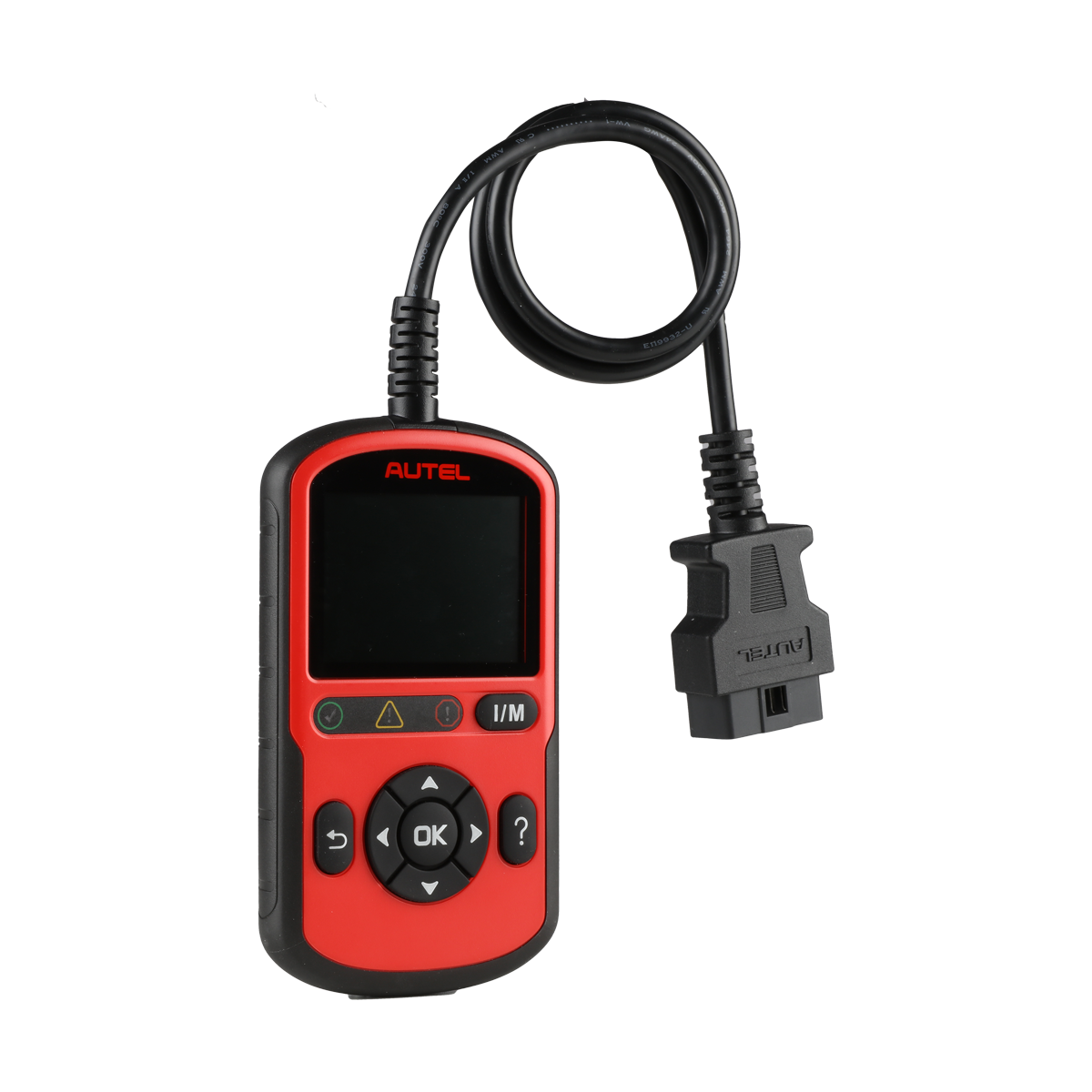
Autel AutoLINK AL549
Couldn't load pickup availability
Autel AutoLINK AL549 Engine and ABS Code Reader with Battery Tester
The AutoLINK AL549 is a 2-in-1 diagnostic tool that combines an OBD II engine and ABS code reader with a basic battery, starter, and charging system tester — all accessed through the OBD II port, no separate leads required. It runs on a 2.8-inch color LCD and covers U.S., Asian, and European vehicles 1996 and newer. At its price point, the AL549 fills a useful niche: shops that want more than a basic engine code reader (adds ABS codes and battery testing) but don't need full 4-system coverage.
Who Should Buy the AL549
The AL549 makes sense for:
- General repair shops that want ABS code capability alongside engine diagnostics without jumping to a more expensive 4-system reader
- Shops handling pre-purchase inspections — ABS and battery health checks in one tool are a natural fit for vehicle inspections
- Technicians who do a lot of check-engine and ABS light work on everyday passenger cars and light trucks
The AL549 does not cover SRS (airbag) or transmission codes. If you need those systems, look at the AL629, which adds SRS and transmission coverage for a modest price difference. The AL549 also does not include the electrical test probes that the AL539 carries — the battery/charging test on the AL549 runs through the OBDII port rather than with dedicated test leads.
Engine and ABS Diagnostics
- Read and erase engine codes — full OBDII engine diagnostics including all 10 test modes per J1979 spec
- Read and erase ABS codes — anti-lock brake system fault codes on supported vehicles
- Enhanced PCM and ABS coverage — reads manufacturer-specific codes beyond generic OBDII
- Live Data and Freeze Frame — view what the vehicle was doing when a fault occurred
- I/M Readiness / Emissions monitoring — color-coded pass/fail status for quick emissions checks
- Record and Playback — capture data streams for later review
- Component Test — test individual emission-related components
Battery, Starting, and Charging System Testing
The AL549 adds basic electrical system testing via the OBD II port — no separate test leads needed. This is a practical feature for shops that want to quickly assess whether a battery or charging issue is contributing to diagnostic faults:
- Battery condition check
- Starter system test
- Charging system test
Note: this is basic battery/charging testing through the OBD port. It is not equivalent to a dedicated battery analyzer with test clamps. For more thorough electrical system testing with voltage test probes included, the AL539 is the Autel alternative.
Vehicle Coverage
- U.S., Asian, and European vehicles, 1996 and newer
- Tri-lingual software: English, Spanish, French
- Auto VIN detection not confirmed for this model — manual vehicle selection may be required
Technical Specifications
- Display: 2.8-inch LCD, 320x240 dpi, color
- Connectivity: Type C USB / OBD II DB16
- Power: 8.0 to 18.0 V via vehicle battery
- Operating Temperature: 0°C to 60°C (32°F to 140°F)
- Storage Temperature: -20°C to 70°C (-4°F to 158°F)
- Dimensions: 150.6 mm x 85 mm x 19.9 mm (5.9" x 3.3" x 0.8")
- Weight: 275.4 g with cable / 166.9 g without cable
What Is Included
- AutoLINK AL549 tool
- USB Type C cable (for software updates and printing via PC)
- OBDII cable
- Free Maxi PC Suite download for printing diagnostic reports
Software Updates
Software updates are downloaded via USB to PC. Autel does not specify lifetime free updates for the AL549 the same way it does for higher-end AutoLINK models — verify current update policy at purchase. The tool includes a 1-year limited warranty.
AL549 vs. AL629: Which One Do You Need?
The AL549 covers Engine + ABS. The AL629 covers Engine + ABS + SRS + Transmission for a modest price difference. If airbag codes and transmission codes matter to your workflow at all, the AL629 is the better buy. The AL549 makes sense if you specifically want battery/charging testing through the OBD port — a feature the AL629 does not include. Know your priority before choosing.
Why Buy the Autel AutoLINK AL549 From Autel Diagnostic Tools?
Autel Diagnostic Tools has specialized in professional diagnostic equipment since 2016. We can walk you through the AutoLINK lineup and help you pick the right tool for your shop. Every purchase includes free shipping, a full manufacturer warranty, and free tech support at 866-217-0063. We give honest upgrade guidance — no upsell for tools you do not need.
Call 866-217-0063 for quick answers and help!
Specifications
Specifications
Detailed specifications are included in the product description above. For complete technical specs, vehicle coverage lists, or comparison help, call our team at 866-217-0063.
We can look up specific vehicle coverage for any Autel tool in seconds.
Shipping & Returns
Shipping & Returns
Free standard shipping on every order within the continental United States. Most orders ship within 1-2 business days via UPS or FedEx.
Returns: 30-day return policy on unused items in original packaging. Contact us at 866-217-0063 or email to start a return. Restocking fees may apply to opened items.
See our full Shipping & Returns Policy for details.
Warranty
Warranty
All Autel tools come with the manufacturer's standard warranty, typically 1 year from date of purchase. Warranty covers defects in materials and workmanship.
Total Care Program (TCP): Autel offers an annual software update subscription. Your first year of updates is included with purchase. After Year 1, renew through Autel's TCP program to keep receiving the latest vehicle coverage and features.
Questions about warranty or TCP? Call us at 866-217-0063.
Software Updates
Software Updates
First year of software updates included with every Autel diagnostic tool purchase.
Autel releases regular updates that add new vehicle coverage, fix bugs, and unlock new diagnostic functions. Updates are downloaded via Wi-Fi directly on your tool or through the Autel MaxiPC Suite software.
After Year 1: Renew your subscription through Autel's Total Care Program (TCP). Pricing varies by model. We can help you find the right TCP card for your tool.
Browse TCP Cards & Software Updates or call 866-217-0063 for help.